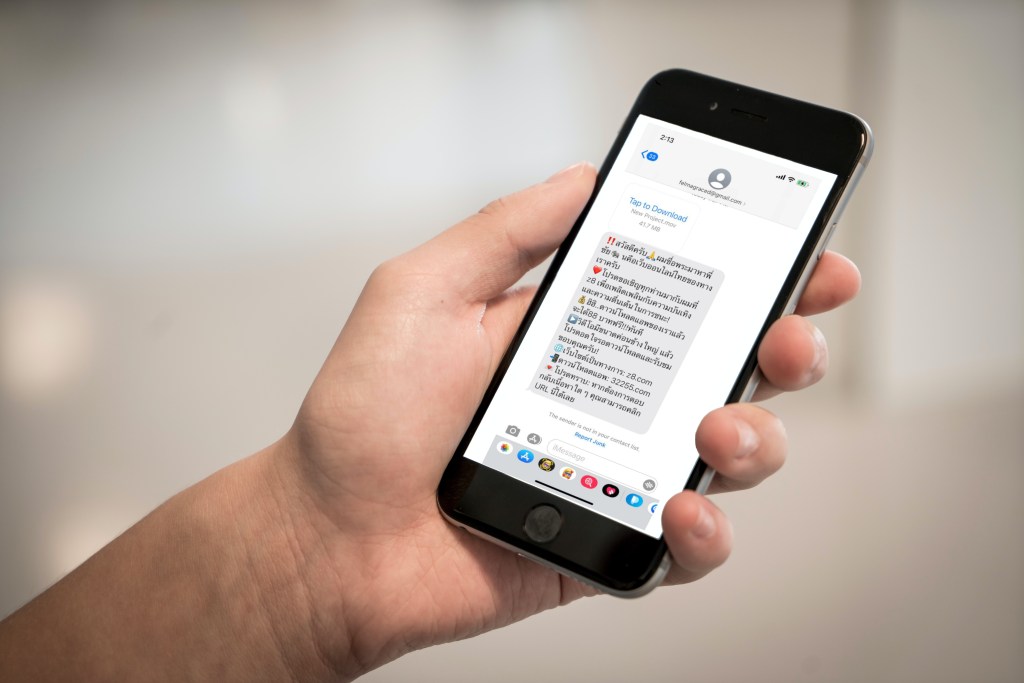
Over the past week, if you have an iPhone, you are likely to have received this message:
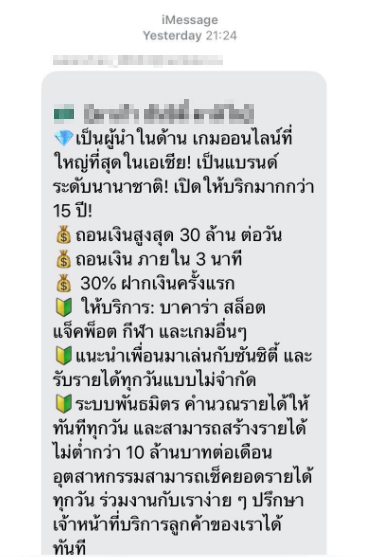
It is an iMessage advertising an online casino in Macau.
Your immediate questions might be:
“Where did they get my number?”
“Is it Thai Chana?”
For those who have received this message multiple times, the question might also be:
“How do I stop this?”
Don’t blame Thai Chana
Many of us would immediately point the finger at Thai Chana. After all, we just gave it our phone numbers. It had plenty of issues when it was launched. It’s a contact tracing platform that belongs to, you know, the government.
However, people who have never registered on Thai Chana are reporting that they too have been invited onto the online casino website.
So what gives? Who’s responsible?
Blame Apple (and of course, the spammers)
You know who isn’t getting these messages? People who don’t use iPhones.
This is not a new problem. In fact, spam on iMessage dated back to 2012 when Apple allowed computer users operating on Mac OS to send iMessages to iPhones.
With this functionality, spammers can write an AppleScript code in their Mac machines and send iMessage to anyone, providing that they have the recipient’s email address or phone number.
They only need an email address to sign up to iMessage, which they can use “bots” to easily create thousands of addresses. Or worse, they use hacked accounts of real users to do their dirty work.
The email addresses are then used to send spam messages to countless numbers of iMessage users. If the email address is marked as spam and taken down? No problem, just use a new one.
This has been nearly a decade-long issue, yet Apple still hasn’t done much to regulate iMessages.
Apple Thailand’s response to Beartai, a media platform on tech, about the matter is plainly, “send us an email and we’ll look into it.”
That answer doesn’t really put us at ease, does it?
Still, how did the spammers get my number?
It’s likely that they don’t actually have your number at all.
The wide range of iPhone users receiving the messages indicates that the spammers perhaps randomly generate phone numbers located in Thailand, based on the country code (66).
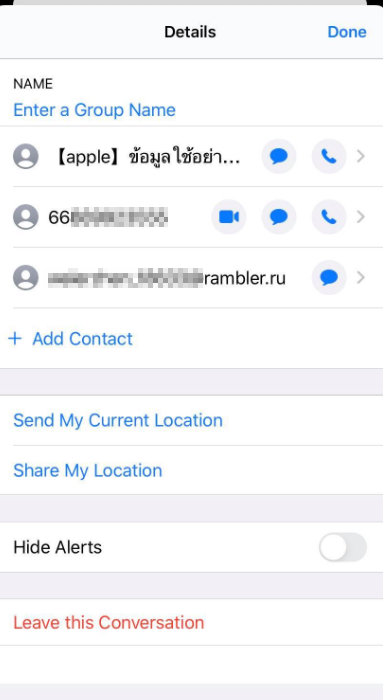
When a Mac user enters a phone number they want to send an iMessage to, the system can verify whether that number has iMessage enabled or not.
Using this method, spammers may compile a lot of phone numbers to be spammed quickly, thanks again to the bots.
So a bit of good news for us, our numbers probably aren’t stolen. We are just unlucky victims of an online casino website that thinks sending junk messages to promote themselves is a good idea.
How do I stop this?
Since iMessage is a product unrelated to cellular service and the spam is likely from China, mobile operators and the government can’t do much to help with this.
We’re pretty much on our own here. But fear not, there are a few steps you can do that may help to alleviate the problem:
- Don’t open spam messages, ever
The message may have a “read receipt” activated. It means they would know if you have opened and read the message. Doing so would potentially flag you as an active user, and the spammers will send you even more spam.
You may be tempted to report the message as junk, but that may require reading the conversation first. Again, don’t open it. Block and delete instead.
- Filter iMessages from unknown sender
This is from Apple’s official guidance when encountering spam.
Go to Settings > Messages then turn on “Filter Unknown Senders.”
Doing this does not prevent spammers from spamming, but it diverts these messages to an “Unknown Sender” inbox and will not ping a notification.
The problem is that it would also redirect messages from genuine senders who are not in your contact list. So you may have to check your inbox from time to time and diligently add new contacts to your phone.
- Remove your phone number from iMessage
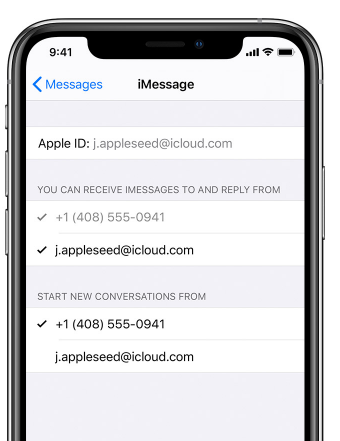
If the previous option is not convenient for you, consider removing your phone number from iMessage and use an email address instead.
Go to Settings > Messages > Send and Receive then select “Use your Apple ID for iMessage” and uncheck your phone number from “You can receive iMessages to and reply from.”
- Get off iMessage for a while and wait it out
If all of the above doesn’t work for you, you may need to consider disabling iMessage temporarily and use an alternative service like WhatsApp or Line in the meantime.
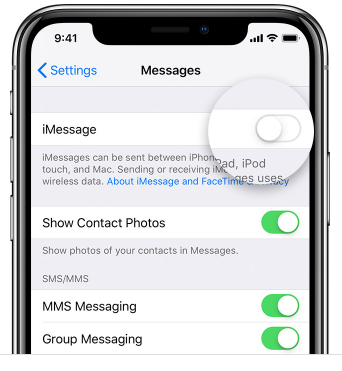
You may disable iMessage by going to Settings > Messages and turn off iMessage.
Eventually, that casino is either going to run out of their “marketing” budget, or lose interest in continuing to spam you.
This article was originally published at https://thisrupt.co/lifestyle/imessage-spam-not-thai-chana/ on June 2, 2020 and authored by Kanop Soponvijit, the owner of this blog.
 tankytech.net