
Last Friday evening, if you are an iPhone user, you may have found your Spotify suddenly and repeatedly crashed.
เข้าspotifyไม่ได้— 5 ขวบ (@13febmt) July 10, 2020
“Cannot get on Spotify.”
Some users had to temporarily switched to alternative music streaming services like YouTube Music.
เข้า Spotify ไม่ได้ เลยต้องใช้ Youtube Music แทนน— me myself & i (@gnujpi) July 10, 2020
“Cannot get on Spotify. Use Youtube Music instead.”
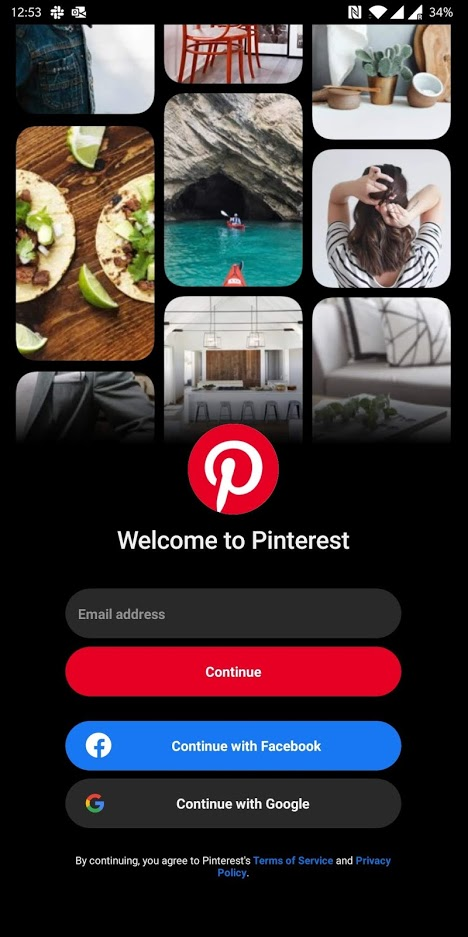
It’s not just Thailand. Users worldwide encountered the same issue, not only with Spotify, but also Tinder, Pinterest, and many other apps that have a “Log in with Facebook” button. This is actually Facebook’s issue.
Facebook fixed the glitch within the day. But why was there a problem in the first place?
What causes the glitch?
This is because Facebook updated its Software Development Kit (SDK), a package of tools that allows app developers to integrate with Facebook seamlessly. That update had “bugs” that caused the glitch.
It turns out many app developers are using Facebook SDK that allows their users to log in using a Facebook account. By “using the SDK,” the developers import the code libraries, which are maintained on Facebook’s servers, and use the imported code in their apps to enable the functionality.
By design, the SDK is imported after the app starts, so the user has the option to log in with Facebook right away. Even if the customers don’t use it, the SDK is still there.
This means when the SDK crashed, so did all the apps that use it.
A similar glitch happened in May, yet many app developers still use the Facebook SDK in their apps.
Why do app developers love “Log in with Facebook”?
There is a reason why app developers love having this functionality in their app: convenience.
Usually, when you install an app, it requires you to register an account so it can link all of the settings and the profile you created back to you. The app asks you to enter your email address, set a password, and provide some other personal information for identification.
Some users find this a hassle and from the app developers’ perspective, it means fewer new customers using the app.
Using this functionality fixes the problem because many users supposedly already have a Facebook account, they don’t need to create a separate account.
All they need to do is link their Facebook account and get right into the app with only a few taps. It’s very convenient.
Apparently, this is a win for the users and also a win for app developers because now users can log into their apps more easily and they don’t even need to create a login system.
What’s in it for Facebook though?
Surprise, surprise. It’s your data they are after.
The relationship between what you do on Facebook and what you do in the third-party apps is precious. Both to Facebook and third-party app owners.
When you are on Facebook, information such as your friends, your email address, and pages you like are known to Facebook, since you interact directly on its platform.
Now, when you install an app and decide to link your Facebook account to it, you might see this.
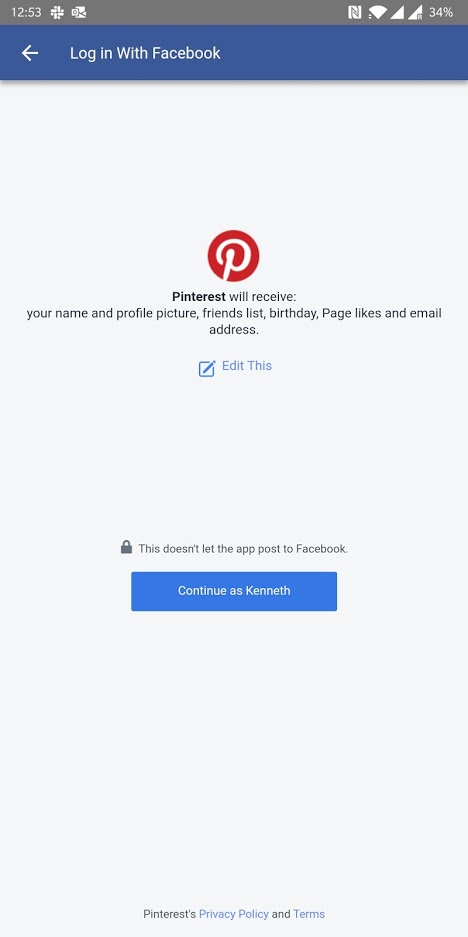
This means if you press “Continue,” you consent to give away all that information to the third-party app as well.
This is valuable to the third-party app owners because now they know your interests, your friends, and even your email address. Therefore, they can send relevant marketing emails to you.
Even if you press “Edit This” to deny access to the information they requested, the third-party app still knows the Facebook account you are using. They can now target you with Facebook ads containing a more personalized message since they already know you as their customer.
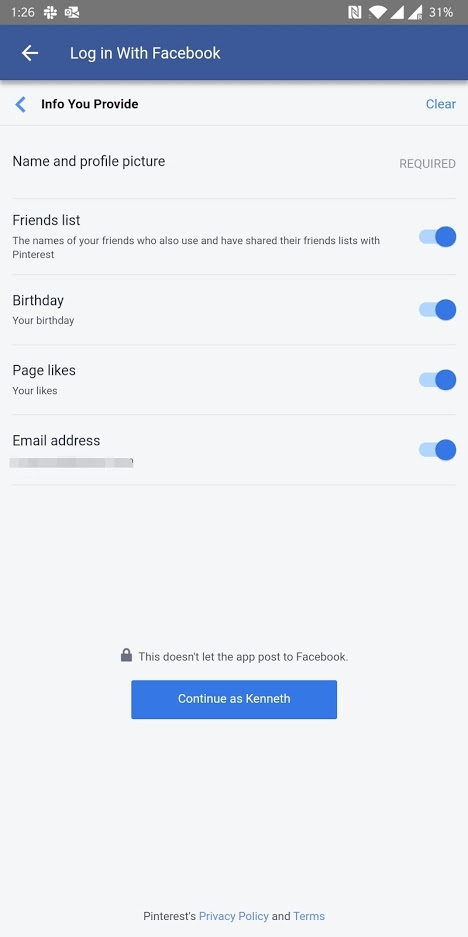
You can deny the third-party app access to the information they requested, but you still need to let them know the Facebook account you are using.
Facebook gets to promote this to the app owners by saying, “put this functionality in your app and know more about our users.”
Facebook also sells ads to the same app owners. And what better way for apps to track the conversion from seeing the ads on Facebook to installing the app than having users log in with Facebook accounts after they install it?
This also applies to any other platform that has a large user base. Google is a prominent example.
This reminds me of an old saying that is ever relevant in an increasingly data-rich world: if you’re not paying for the product, you are the product.
Be aware of where your data is going
It’s not necessarily a bad thing to link your social media accounts to apps. After all, it saves you from remembering which accounts to log into which apps. As well, it centralizes your data security to big tech companies that you can usually trust.
But you also should know what you are trading for the convenience.
You should not hand over your data to the third-party apps that you do not trust or are not well-known.
Read what the apps are requesting before you press “Continue” or “Next.” If the apps are requesting data that seems unreasonable for its purpose, e.g. a photo-editing app asking to see the pages you like, the app developers will likely sell your data. Press “Edit” to control what they can see, or use a different app altogether.
If you already consent your data to third-party apps and change your mind about it later, you can go to Facebook’s settings > Apps and Websites > Logged in With Facebook and select individual apps you want to revoke access.
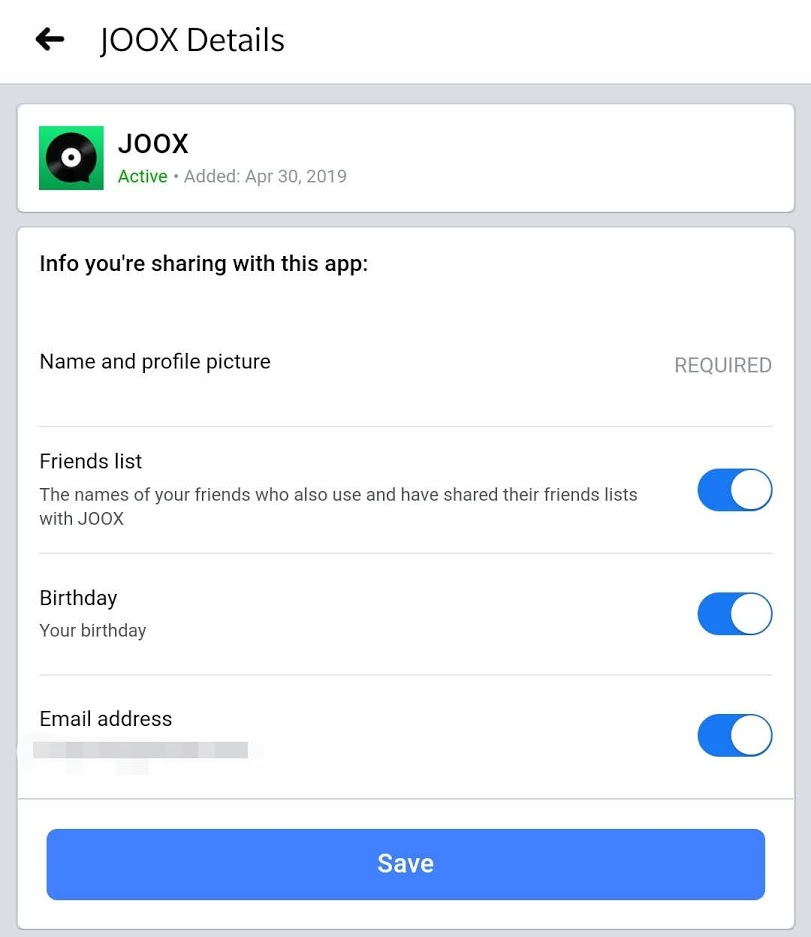
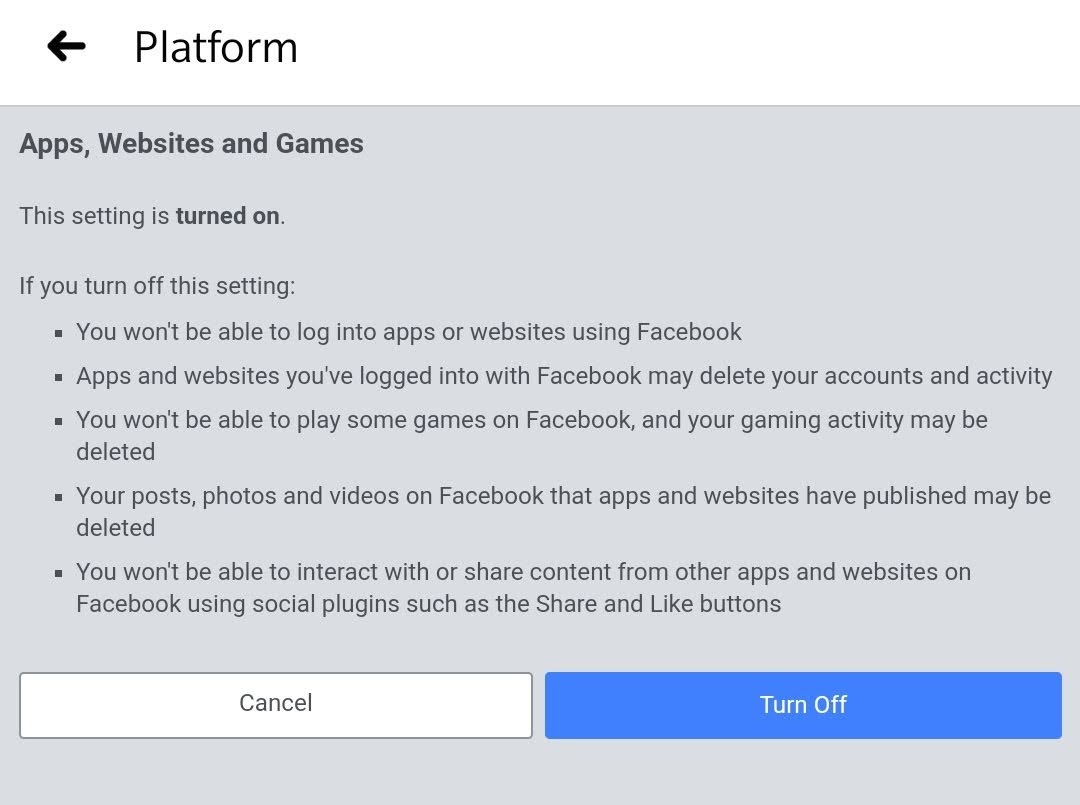
Finally, if you don’t intend to link your Facebook to anything ever, go to “Apps, Websites and Games Preferences” under Apps and Websites and turn the functionality off for good.
This article was originally published at https://thisrupt.co/lifestyle/facebook-trading-privacy-for-convenience/ on July 15, 2020 and authored by Kanop Soponvijit, the owner of this blog.
 tankytech.net